
Transform your text into small caps, superscript, or subscript Unicode characters that create a mini, elevated, or lowered look.
Perfect for scientific notation, usernames, and creative captions.
ꜱᴍᴀʟʟ ᴄᴀᴘꜱ
ˢᵘᵖᵉʳˢᶜʳⁱᵖᵗ
ₛᵤᵦₛcᵣᵢₚₜ
Small caps, superscript, and subscript text create different size effects—small caps for mini lettering, superscript for elevated text, and subscript for lowered text. Type your text above and instantly copy any variation with one click.
These Unicode characters work on Instagram, Discord, Twitter/X, Reddit, and more. Because they're Unicode symbols, the size effects stay intact wherever you paste them.
See how small caps text looks across platforms:
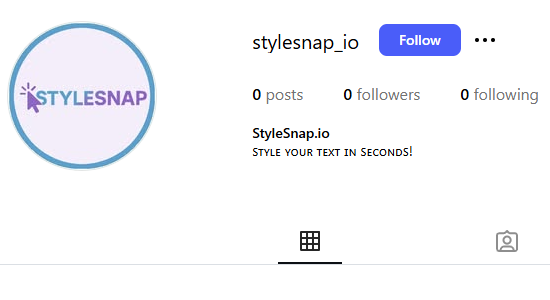
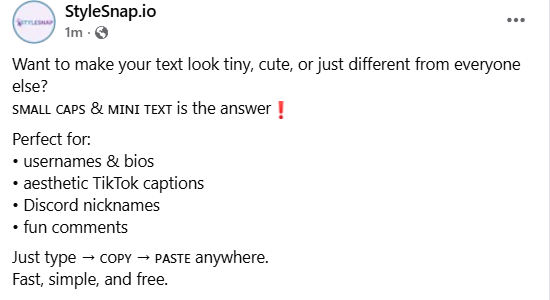
Small caps can make your Instagram bio or captions look clean, minimal, and a bit more unique. Type your text into the generator, pick the small caps style you like, copy it, and paste it into your bio or post. The tiny uppercase letters appear right away and add a subtle stylish touch.
Small caps work well on Reddit when you want to add a quiet emphasis without using bold or italics. Just type your message, choose the small caps style, copy it, and paste it into your post or reply. It’s great for usernames, short notes, or organizing longer comments.
If you want your Facebook posts to look neater or a bit more playful, try using small caps. Type your words in the generator, copy the small caps version, and paste it into your post or story. The mini letters are perfect for simple highlights, quotes, or lightweight styling.
Small caps, superscript, and subscript text create different size effects. Small caps use smaller uppercase letters, superscript raises text above the baseline, and subscript lowers text below. Originally used in typography and scientific notation, these styles now add visual variety to digital content.
StyleSnap.io lets you create these size effects instantly. Choose between small caps, superscript, or subscript for different visual impacts.
Use small caps, superscript, or subscript for short words or titles—they're ideal for scientific notation, usernames, and creative captions.
For longer messages, stick with standard fonts to maintain readability.
Small caps text uses smaller uppercase Unicode letters that create a mini lettering effect. Superscript raises text above the baseline, and subscript lowers it below.
Use it for scientific notation, usernames, or short phrases that need a mini or elevated look. It works best for spotlight words rather than long passages.
Yes—Instagram, TikTok, Discord, Twitter/X, Reddit, Facebook, and more all support these Unicode characters. Paste them into bios, captions, or chat names.
Absolutely. Everything runs in your browser with no sign-ups or data collection. Copy as much small caps text as you need.
Small caps Unicode only includes letters, not every symbol. Numbers and certain characters stay in standard form because Unicode doesn’t provide a small-caps version for them.
You can’t type small caps directly from a normal keyboard. The easiest way is to use a Unicode small caps generator like this one — just type, copy, and paste the converted version anywhere.
Some devices use slightly different Unicode rendering. The characters are the same, but font styles vary across operating systems. The text will still be readable everywhere.