
Transform your text into squared Unicode characters that add a bold, geometric aesthetic to any post.
Perfect for modern captions, usernames, and creative posts.
🅂🅀🅄🄰🅁🄴
🅽🅴🅶🅰🆃🅸🆅🅴
ⓒⓘⓡⓒⓛⓔⓓ
Looking to make your text stand out with a bold, geometric look? Put your letters in squares for a modern, clean aesthetic. Type your text above and instantly copy any square variation with one click.
These Unicode characters work on Instagram, Facebook, Discord, Twitter/X, Reddit, and more. Because they're Unicode symbols, the squared look stays intact wherever you paste them.
See how square letters look across platforms:
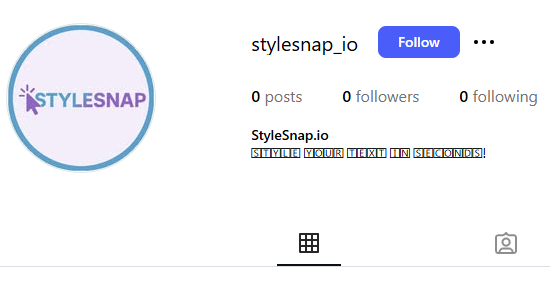
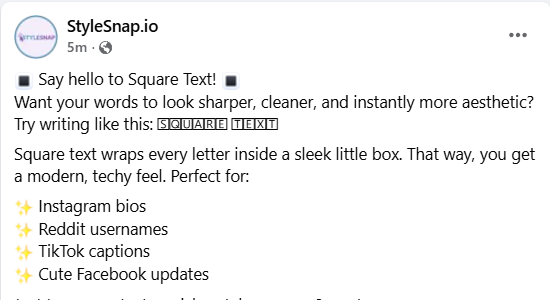
Square text gives your Instagram bio or captions a modern, boxed-in look that instantly stands out. Just type your words into the generator, pick the square style you like, copy it, and paste it into your bio or post. The sharp, squared letters appear right away and add a bold geometric feel.
Square text works perfectly on Reddit when you want your message to pop without using bold or italics. Type your text, choose the square style, copy it, and paste it into your post or reply. It’s a fun way to highlight short thoughts, usernames, or creative formatting in long threads.
If you want your Facebook posts to feel more structured or attention-grabbing, square text is a great option. Enter your words in the generator, copy the squared version, and paste it into your post or story. The boxy letter shapes add a clean, techy vibe that’s perfect for quotes, announcements, or headings.
Square text wraps each letter in a square, creating a bold, geometric look. Originally used in design and typography, squared characters now add a modern, structured touch to digital content.
StyleSnap.io lets you create that squared aesthetic instantly. Choose between standard squared, negative squared (solid background), or circled for different visual effects.
Use square text for short words or titles—it's ideal for modern captions, usernames, and creative posts.
For longer messages, stick with standard fonts to maintain readability.
Square text wraps each letter in a square, creating a bold, geometric look. It's perfect for modern captions, usernames, and creative posts.
Use it for modern captions, usernames, or short phrases that need a bold, geometric vibe. It works best for spotlight words rather than long passages.
Yes—Instagram, TikTok, Facebook, Discord, Twitter/X, Reddit, and more all support these Unicode characters. Paste them into bios, captions, or chat names.
Absolutely. Everything runs in your browser with no sign-ups or data collection. Copy as much square text as you need.
Square text has letters with square outlines, while negative square text has solid square backgrounds for more contrast and boldness. Both create a geometric, modern look.
Yes, but with limits. Instagram, Twitter, TikTok, and Discord accept most squared characters, but certain symbols may be blocked for usernames. If one version doesn't work, test another from the generator.
Yes. These symbols are part of the standard Unicode table. You're only copying text — no downloads, no scripts, and nothing that can harm your device or account.
Yes, but it depends on the app. Gmail, Outlook, and Apple Mail support Unicode square characters. Some older office tools or workplace systems may not fully support them. If you send an email with Unicode square text, it will display normally for most people.